
Applies to:
I41HD/I41EH
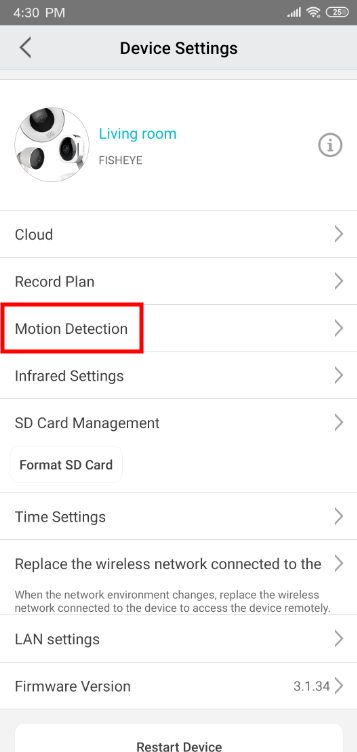
Before starting, please enable motion detection for the camera on the APP:
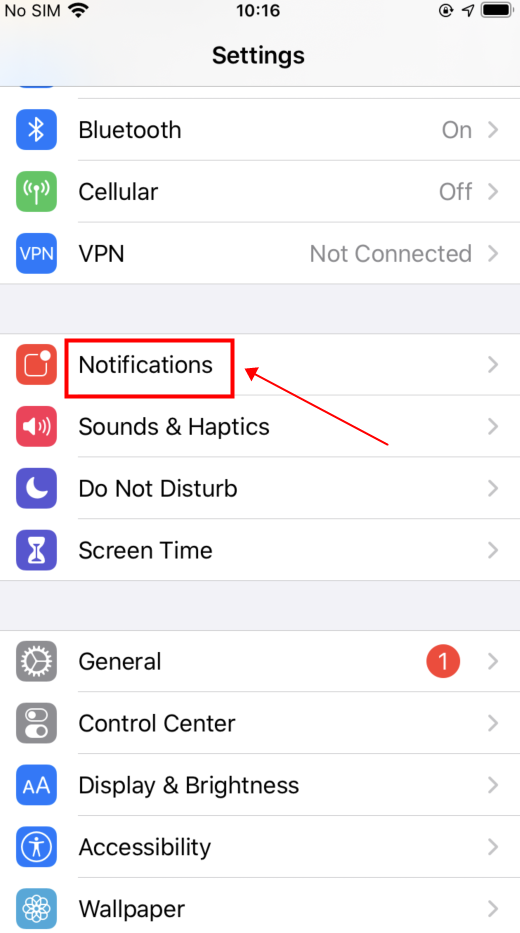
1. iPhone
Enter the system settings and select “Notifications”

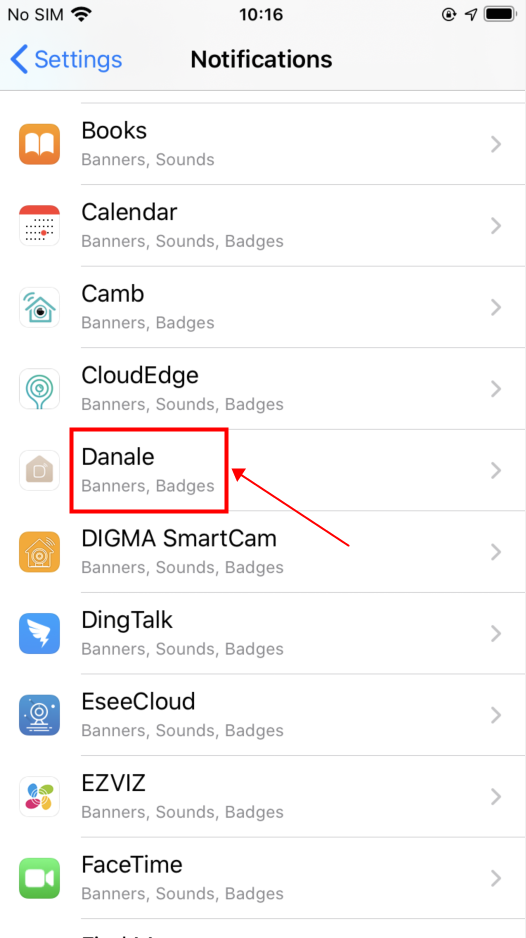
Find the Danale APP

Set the notification permission rights

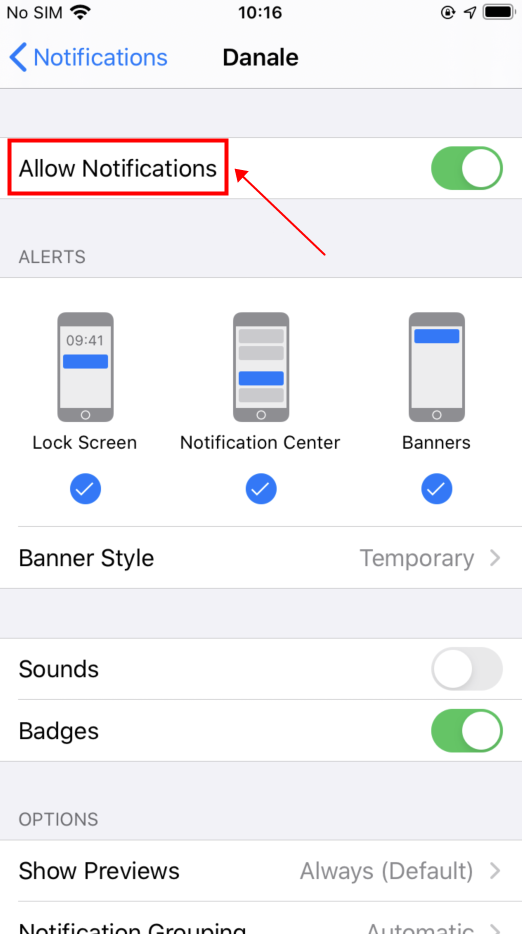
2. Android Phone
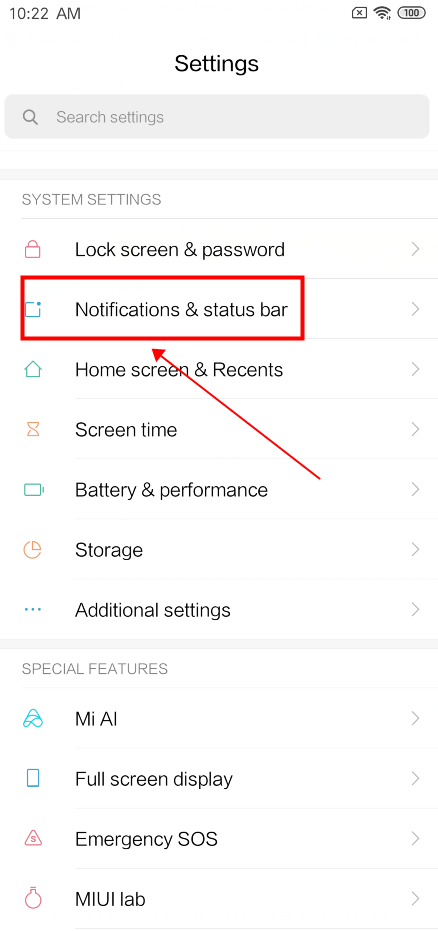
Enter the system settings and select “Notifications & status bar-->APP notifications”

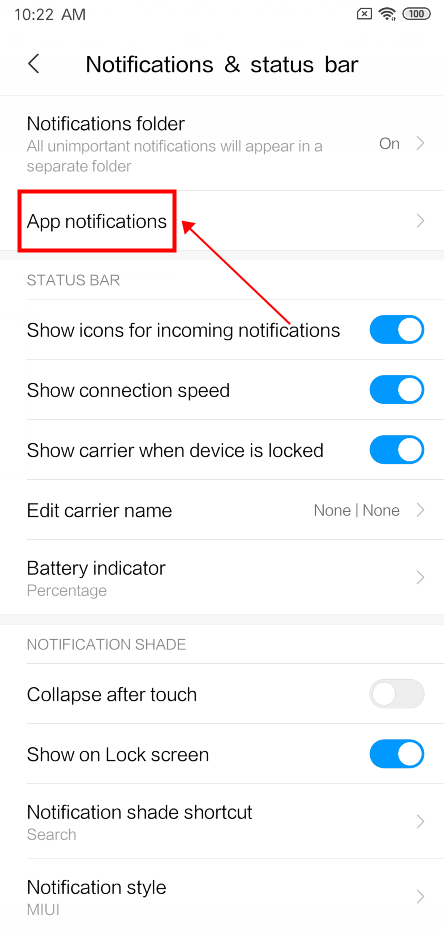
Find the Danale APP


Set the notification permission rights

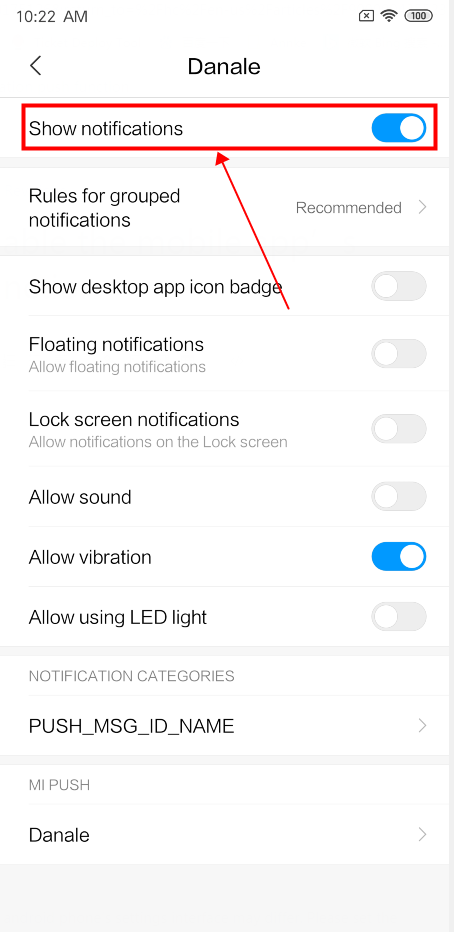
The above steps are just for reference, as the android phone’s settings interface may differ. Please set the function according to the actual situation.


Comments
0 comments
Please sign in to leave a comment.